AI drafts your social content. Your team decides what ships.
Able Social plans the week, writes captions in your brand voice, renders the art, and lines everything up on a review desk. People approve, and every post to a connected account goes out through an explicit, per-post consent screen — never on its own.
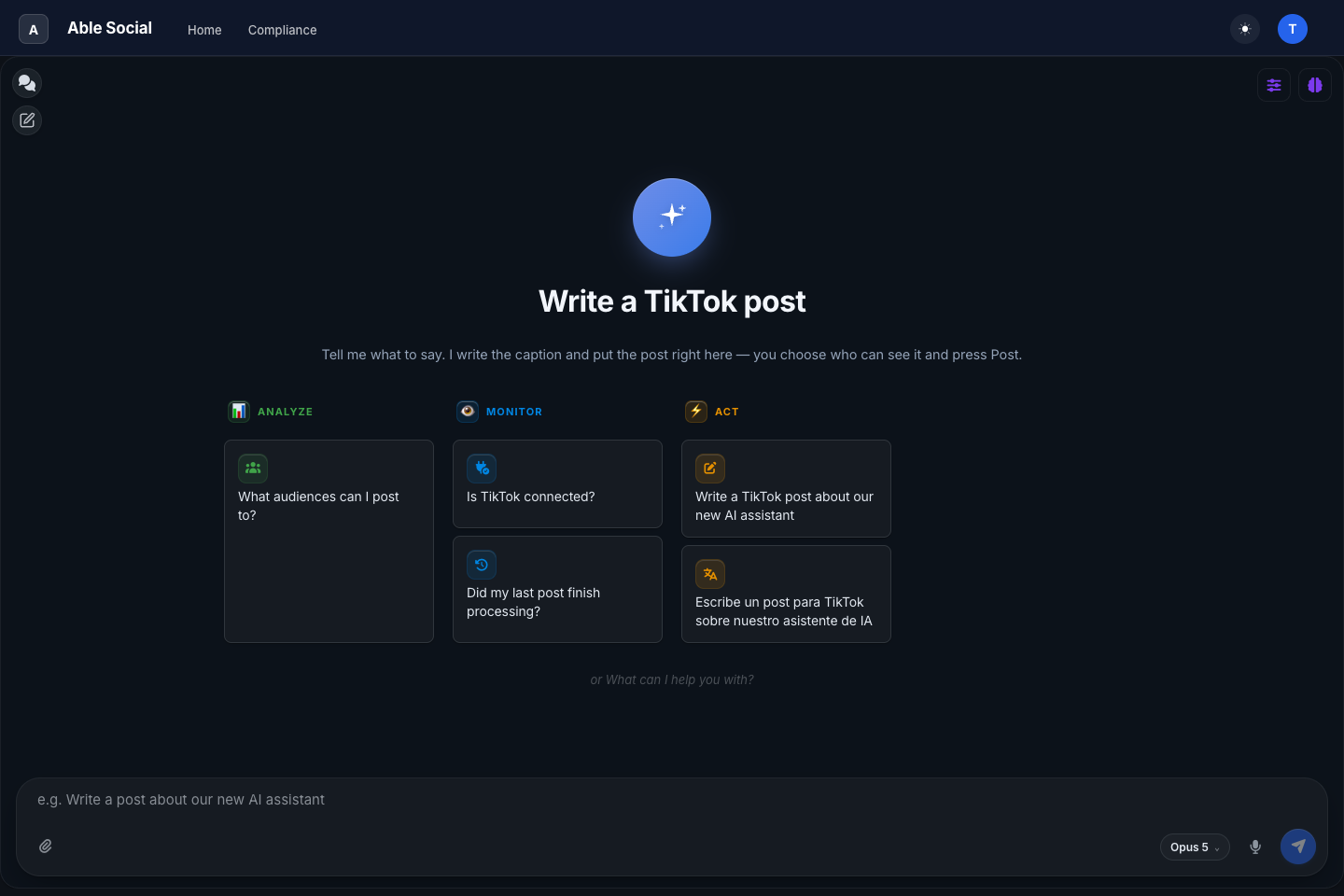
What Able Social does
Drafts in your voice
A weekly content plan across your platforms and content pillars. Captions written in your brand’s voice, branded stills and short vertical videos rendered to each platform’s shape — AI-generated art carries its label on the image itself.
Reviewed by people
Nothing publishes itself. Every draft lands on a review desk where your team approves, requests changes, or rejects — in chat or with a button. Each revision is a new version; the history stays.
Posted with consent
Publishing is a human act: a per-post screen shows exactly what will go out, where, and to which audience, and a person presses Post. Instagram and Facebook ride the same desk.
Posting to TikTok, the compliant way
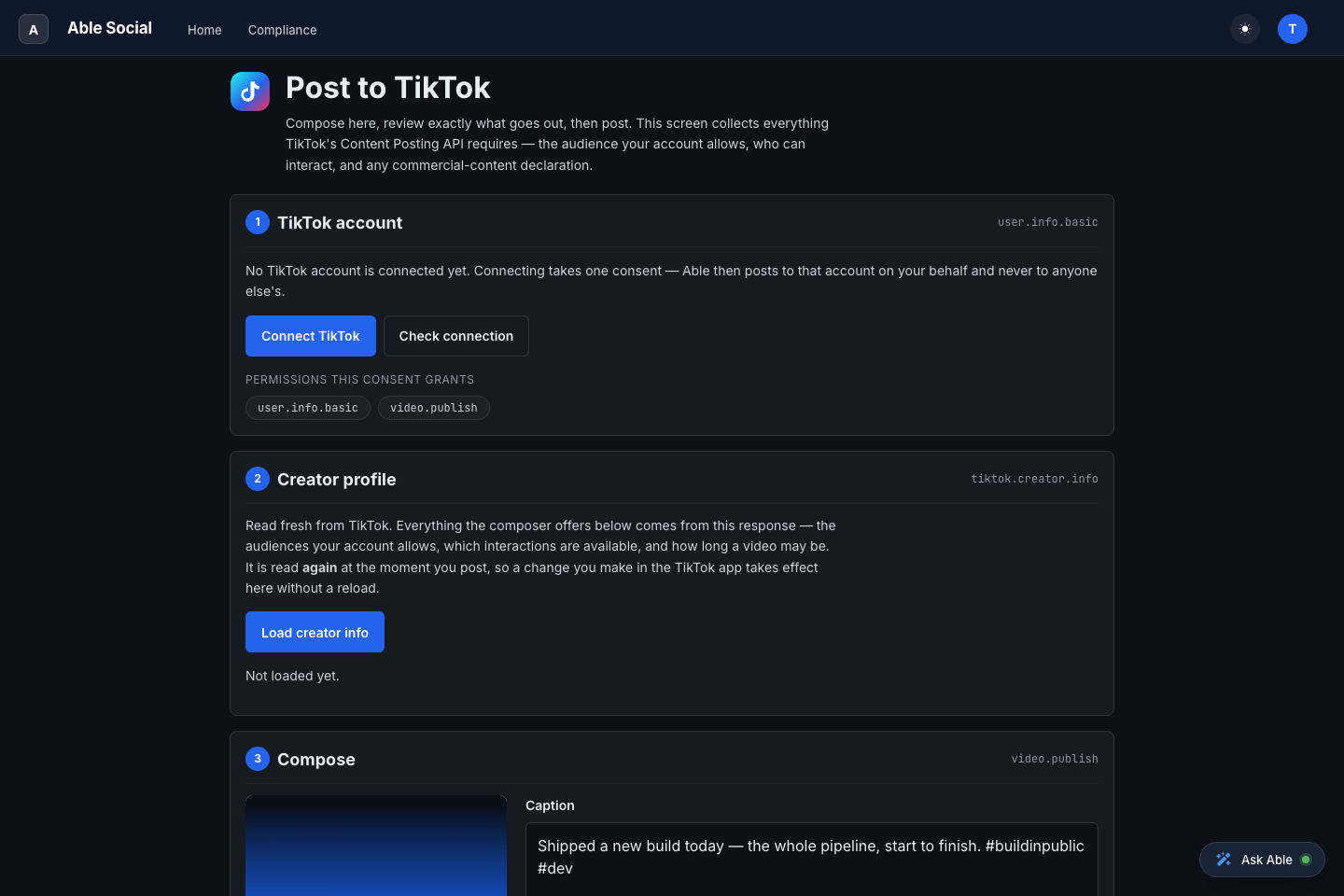
Able Social integrates TikTok through Login Kit and the Content Posting API. The posting screen collects everything TikTok requires a person to decide — fresh, per post.
-
Connect your TikTok account
One consent through TikTok Login Kit. The permissions are exactly two:
user.info.basicvideo.publish -
Your creator profile, read fresh
Before every post the screen reads your profile live from TikTok — your nickname and avatar, the audiences your account currently allows, which interactions are available, and how long a video may be.
-
You choose the audience
The privacy selector is filled from your account’s own options with nothing preselected. Comment, Duet and Stitch follow what your account has enabled.
-
Disclose and consent
Commercial-content disclosure — your brand or branded content — with TikTok’s rules enforced on the screen, and the music-usage confirmation right above the button.
-
Review, post, track
A preview of exactly what will publish, an explicit confirm, and the post’s status tracked until TikTok reports it complete.
See it with your own content
Able Social runs on Able Platform — the same platform that connects the rest of your business. Start with a walkthrough, or open the app.
By using Able Social you agree to our Terms of Service and Privacy Policy.