
A negotiated rate, proposed, approved and billed from its first day.
Sunstate Equipment rents construction equipment by the day, the week and the month. When a large customer negotiates rates of its own, the approval usually lives in an e-mail thread and reaches billing late. Here a sales rep proposes the rates from the right numbers, a manager approves, declines or counters on the same screen, and the approved rates reach your billing system on the day they start. The customer signs the agreement online, and every customer carries its profitability report.
The work, every day
A negotiated rate is a promise until billing has it.
A rate too low erodes the margin; a rate too high loses the contract. Large customers get rates of their own, and each one needs a manager’s approval before billing applies it.
Which customers bill today at a rate nobody approved?
How many proposals are waiting for a manager, and since when?
Is this customer profitable at these rates, against customers of its size?
- Start from the right numbersThe book rate, the rate the customer has today and the rates the pricing team suggests, side by side.
- Write the proposalDay, week and month rates for each equipment class, with the commitments that come with them.
- Send the agreement for signatureThe customer reads the rates as they will bill and signs on a link, from a phone or a desk. Your side counter-signs, and the signed document stays with the agreement.
- Get a manager’s yes, or a counterApprove, decline, or send it back with the rates the manager would accept.
- Make billing apply it on its start dateSo every new contract for that customer bills at the new rates.
How it flows
The rep proposes. The manager decides.
The pricing team’s suggestions arrive every weekday morning as drafts. The rep and the manager negotiate on one screen, and the application sends the approved rates to billing on their start date.
Rate agreements
When a customer negotiates rates of its own, how long until billing charges them, and who approved them?
Arrive every weekday morning as draft proposals
Edits the rates and sends them for approval
Answers where each number comes from and how the proposal compares
Approves, declines or counters
Receives the approved rates on their start date
What you get
The customers, the proposal, the signature and the margin, with the analyst beside them.
The walkthrough shows this desk on a read-only sample of your own data before you sign anything.
Every customer with its current rates and its proposal, filtered by region, manager and rep, and the ones waiting for my approval.
Current and proposed rates side by side, cell by cell. The manager counters on the same screen, and the rep accepts or keeps each change.
The agreement goes out for signature from the application. The customer signs on a link with no account to create, your side counter-signs, and the signed PDF is filed with the agreement.
For each customer, over the last twelve months: revenue, costs and EBIT against customers of the same size, with levers to model what a rate, a delivery charge or a rebate does to the margin. It downloads as a PDF.
An agent on the desk that answers where each number comes from and how a proposal compares, so the rep can defend the ask and the manager knows whether it is typical.
The real screens
One screen for the rep and the manager.
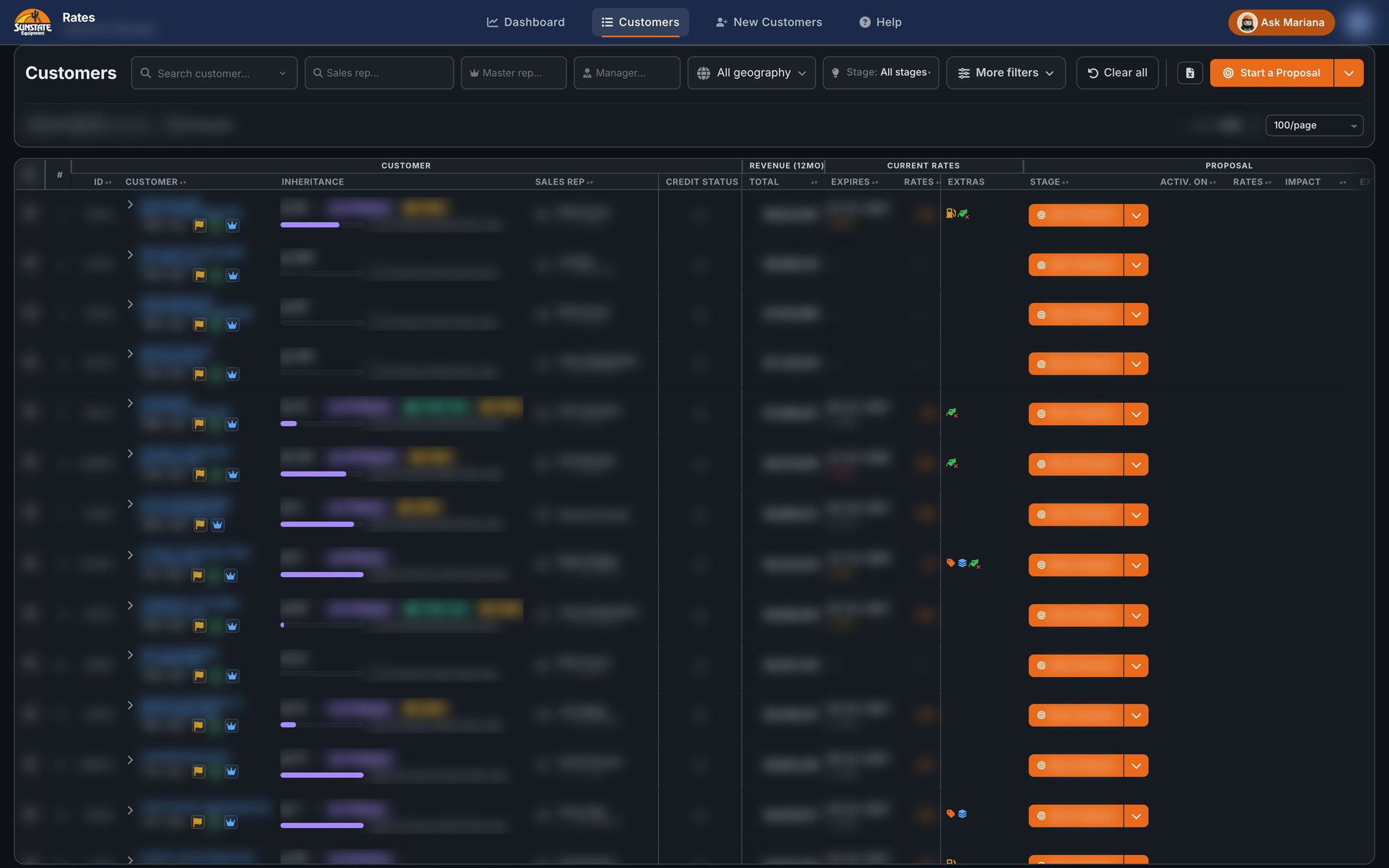
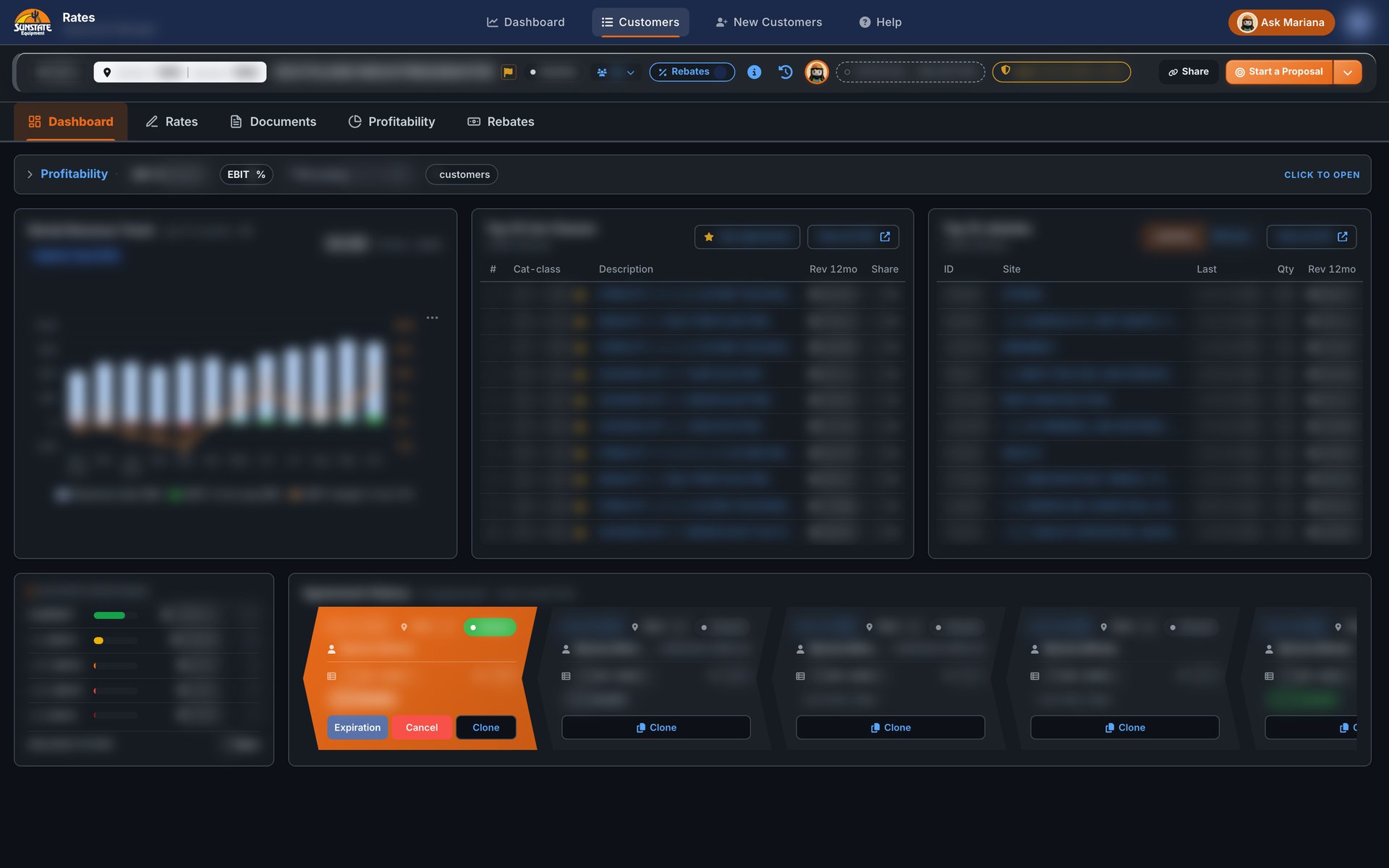
The customer's data is blurred. The screens are the application as its people use it.
The receipts
What runs, and what it took.
No outcome is measured on this desk yet. These are the facts of what runs.
In production at Sunstate Equipment.Our own record of the go-live.
States in a proposal’s life: system draft, draft, changes requested, sent for approval, approved, in billing, declined, deleted.The application’s status lifecycle, read on November 17, 2026.
Weekday runs that send the approved rates to billing, morning and evening.The application’s schedule, read on November 17, 2026.
Pages, record types and agents in the application.Counted in the application’s repository on November 17, 2026.

Book a walkthrough
Bring one process.
Leave with a working screen.
Bring your aging report, your worst ticket or the spreadsheet everybody is afraid of. The walkthrough shows the desk on a sample of it on the same call.